Meet Otto — the CMMS that keeps your plant running
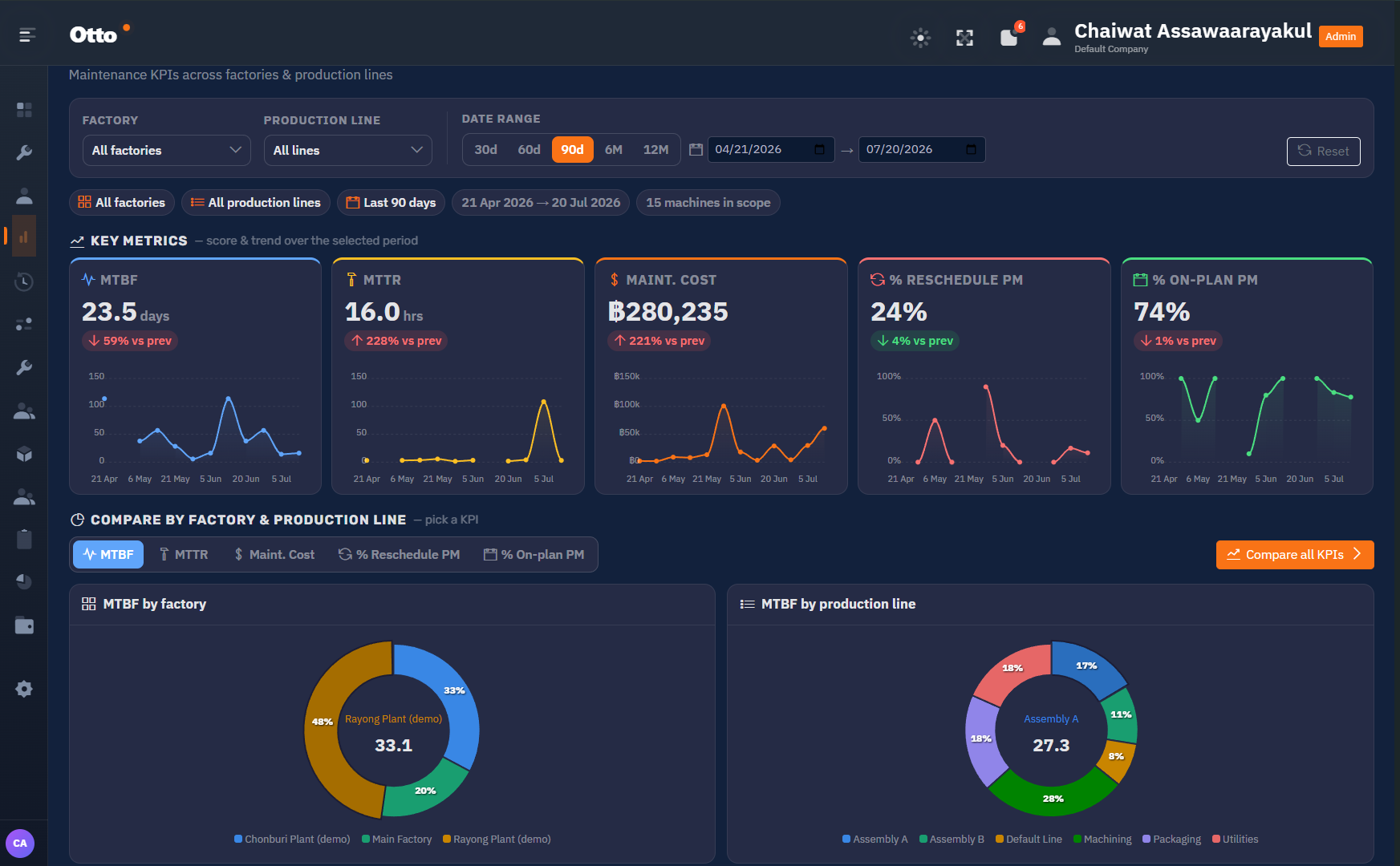
Otto turns preventive maintenance into something your team actually finishes on time. Track MTBF, MTTR and maintenance cost across every factory and production line — and see the machines that need attention right now.
Built by people who run factories, not just software
Ambientech has spent more than 20 years consulting on international manufacturing. Otto is that experience turned into a maintenance system your technicians will actually use.
See every machine that needs attention — right now
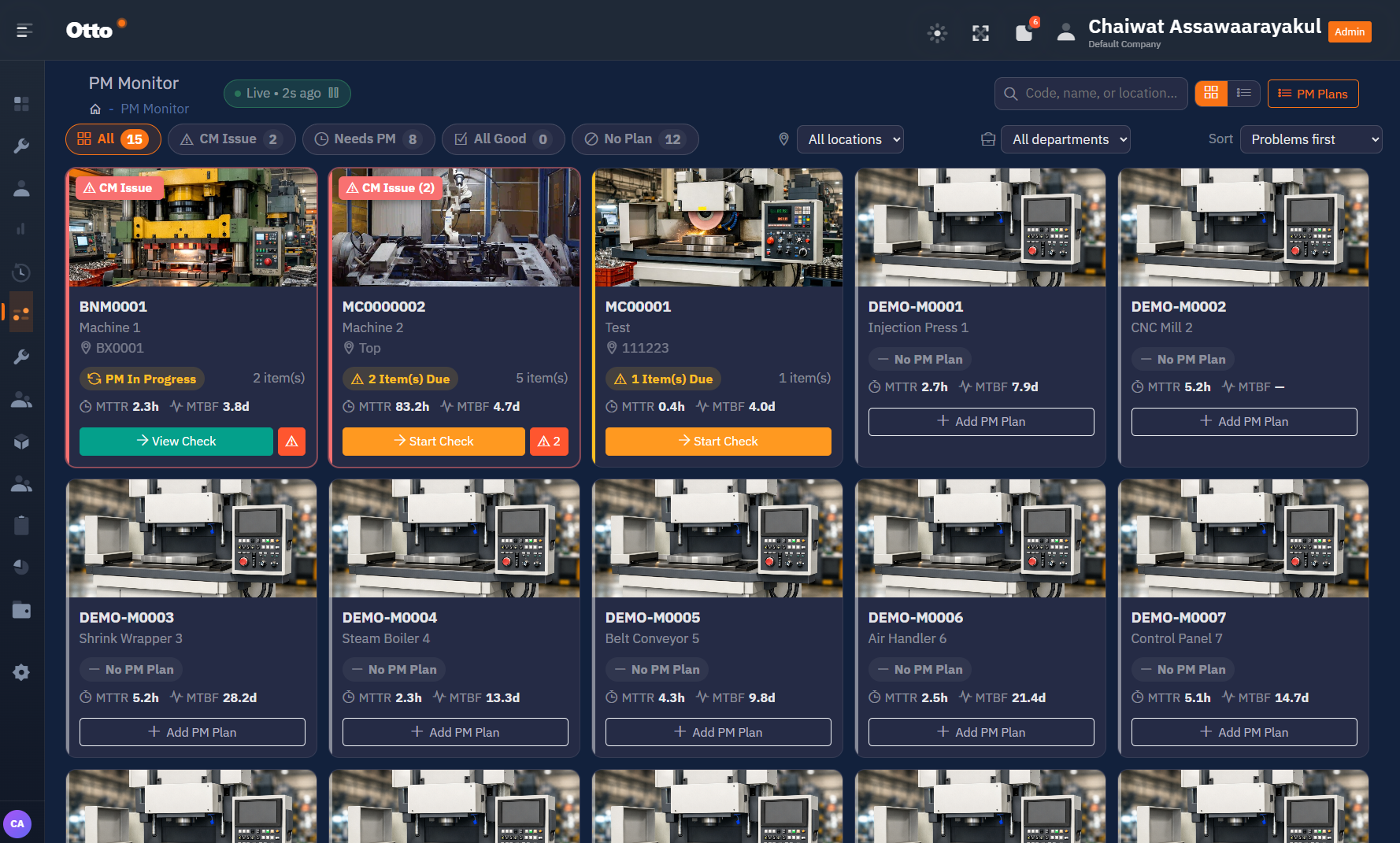
A live board of every machine in the plant. Otto sorts problems first, so a breakdown or an overdue PM never sits unnoticed at the bottom of a list.
Filter by CM issue, needs PM, all good or no plan — then start the check straight from the card. Each machine carries its own MTTR and MTBF so you can see which assets keep coming back.
The system opens the work order for you
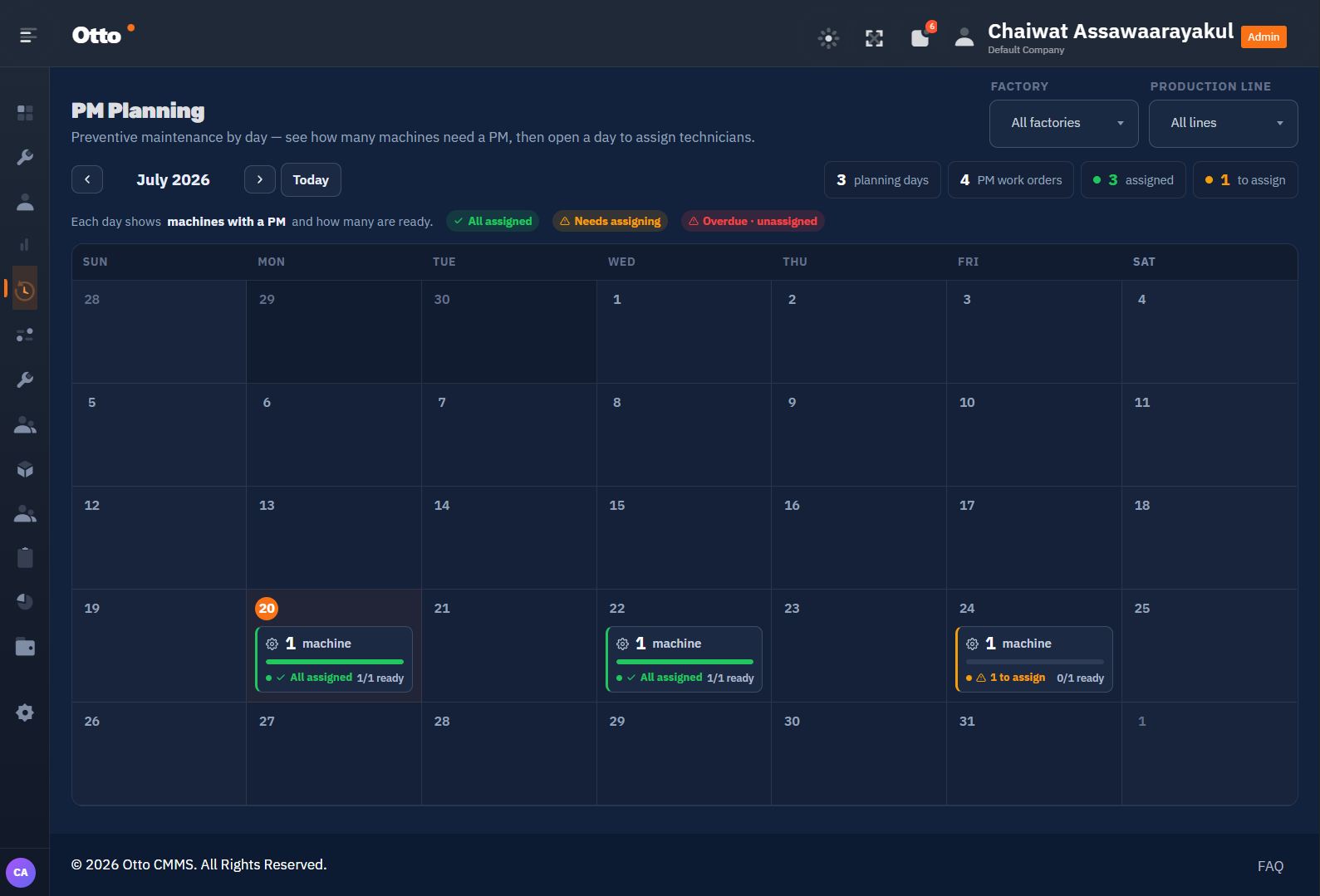
Schedule maintenance by time interval, by machine runtime hours, or by production cycle count — whichever one actually drives wear on that machine.
When a task falls due, Otto generates the work order automatically and sends the notification in advance — already carrying its checklist and the spare parts the job needs. Nothing waits on somebody remembering.
Find the weakest line before it finds you
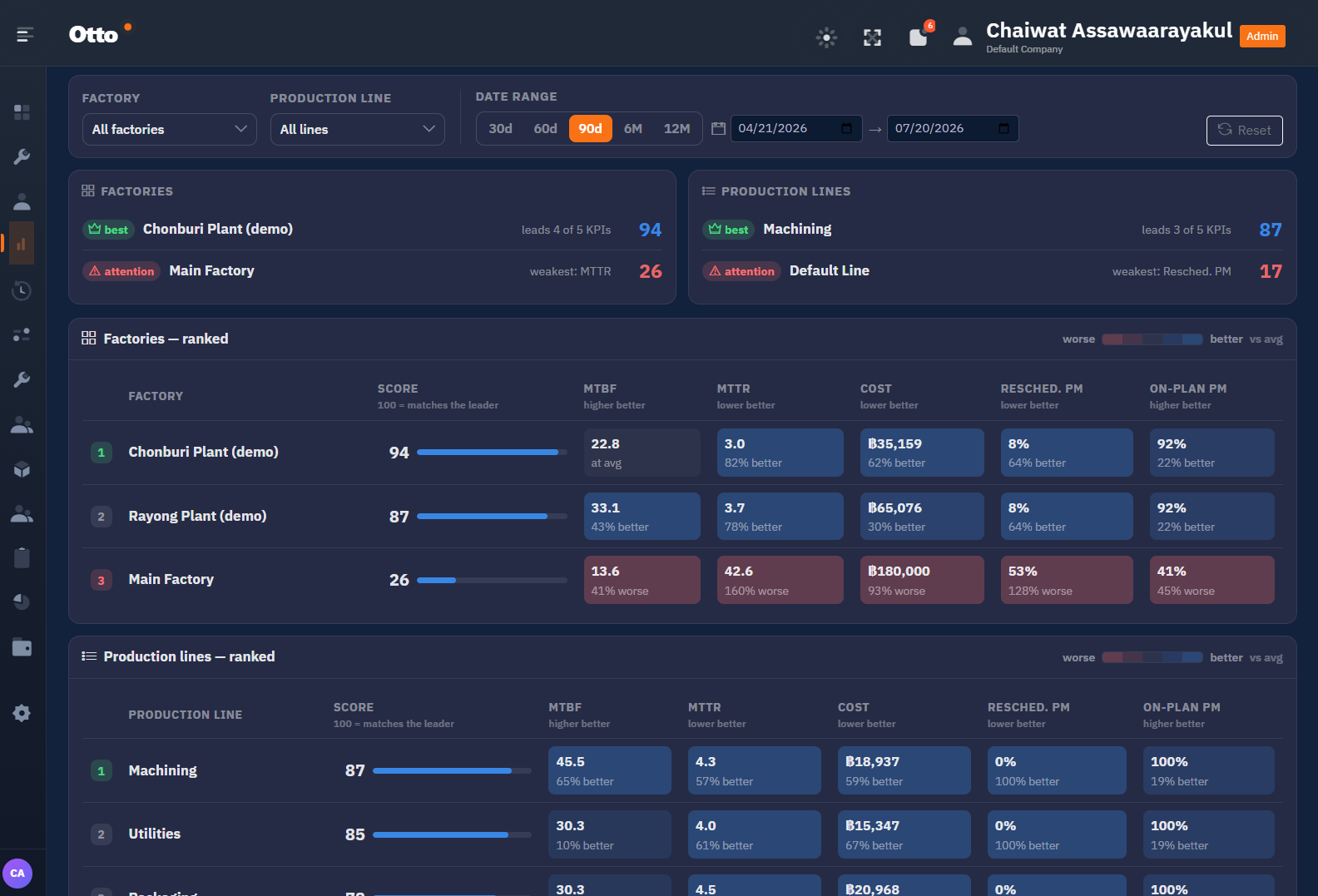
Otto ranks every factory and production line on all five KPIs and scores them against the leader.
Each cell shows how far better or worse it sits versus the average, so “Main Factory needs attention, its MTTR is the problem” takes one glance instead of a week of spreadsheets.
Stop fixing the same failure twice
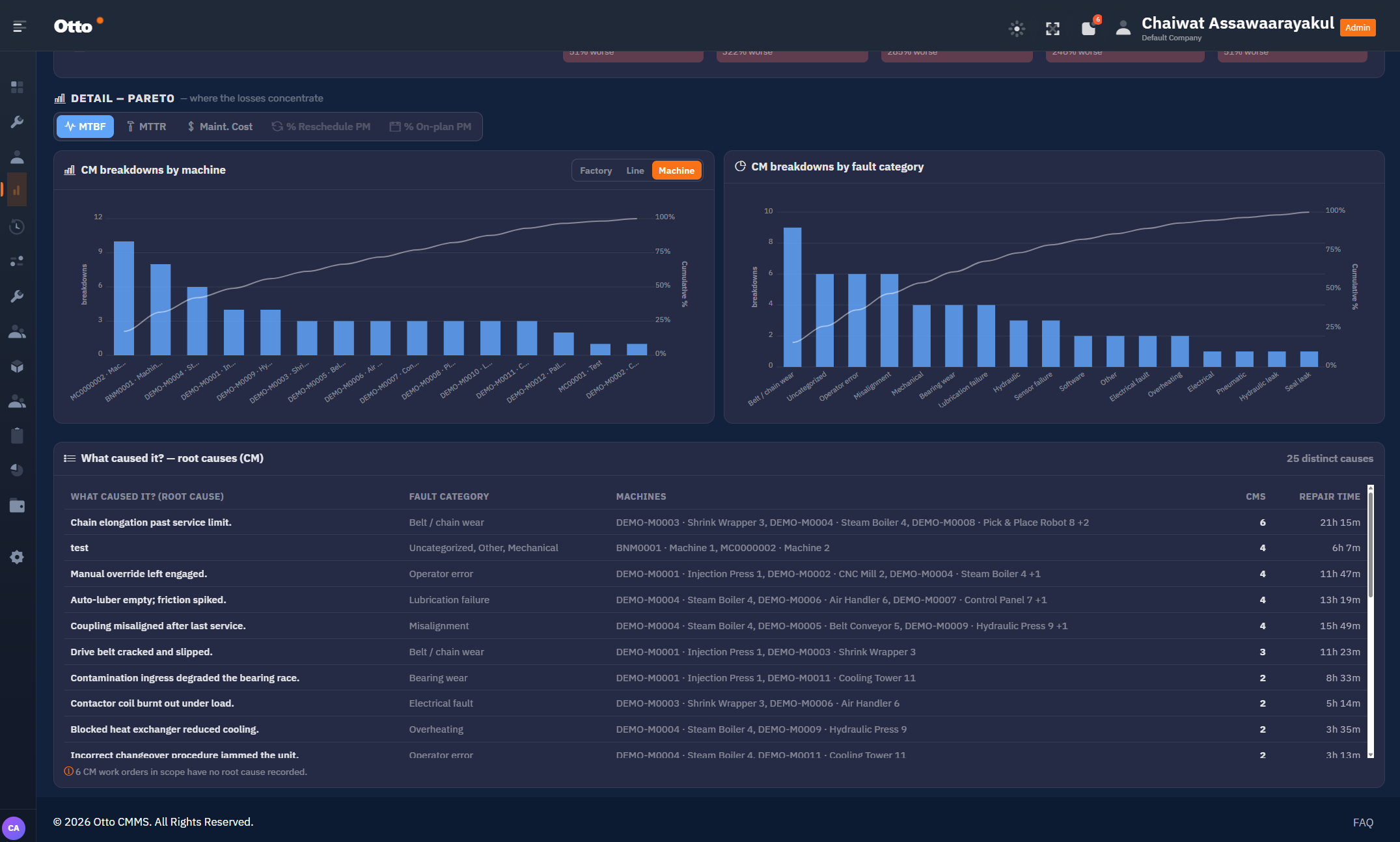
A Pareto view of where your losses actually concentrate — by machine, by line, by factory, and by fault category.
Every corrective work order carries the cause that was recorded against it. Otto groups them, counts how often each one recurs and totals the repair time it has consumed — so “belt and chain wear” stops being a hunch and becomes the case for changing the PM interval.
Everything maintenance needs, in one system
From the technician closing a work order on the floor to the plant manager signing off the quarterly budget.
Real-time PM Monitor
A live board of every machine, sorted problems first. Start a check, log a CM issue, and watch status update as the shift runs.
Smart PM Planning
Schedule by time interval, runtime hours or cycle count. Otto opens the work order when it falls due and notifies the team in advance.
Maintenance KPI dashboard
MTBF, MTTR, cost, on-plan PM and reschedule rate — filtered by factory, production line and date range, with trend against the previous period.
Root cause analysis
Pareto charts of breakdowns by machine and fault category, plus a ranked table of recorded causes with recurrence and repair time.
Spare parts inventory
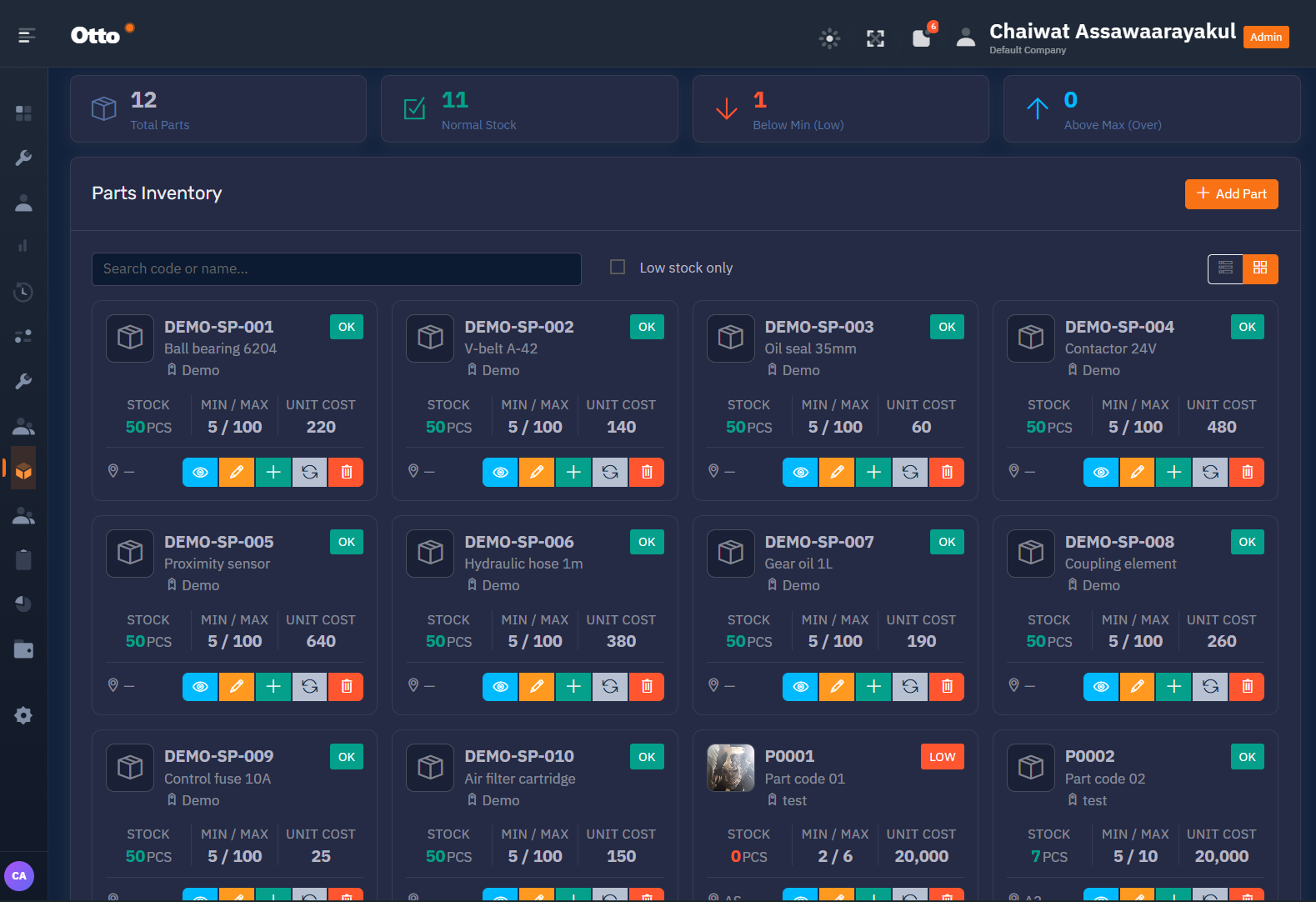
Stock levels against min/max per part with unit cost, plus instant visibility of what has dropped below minimum or crept above maximum.
Maintenance budget control
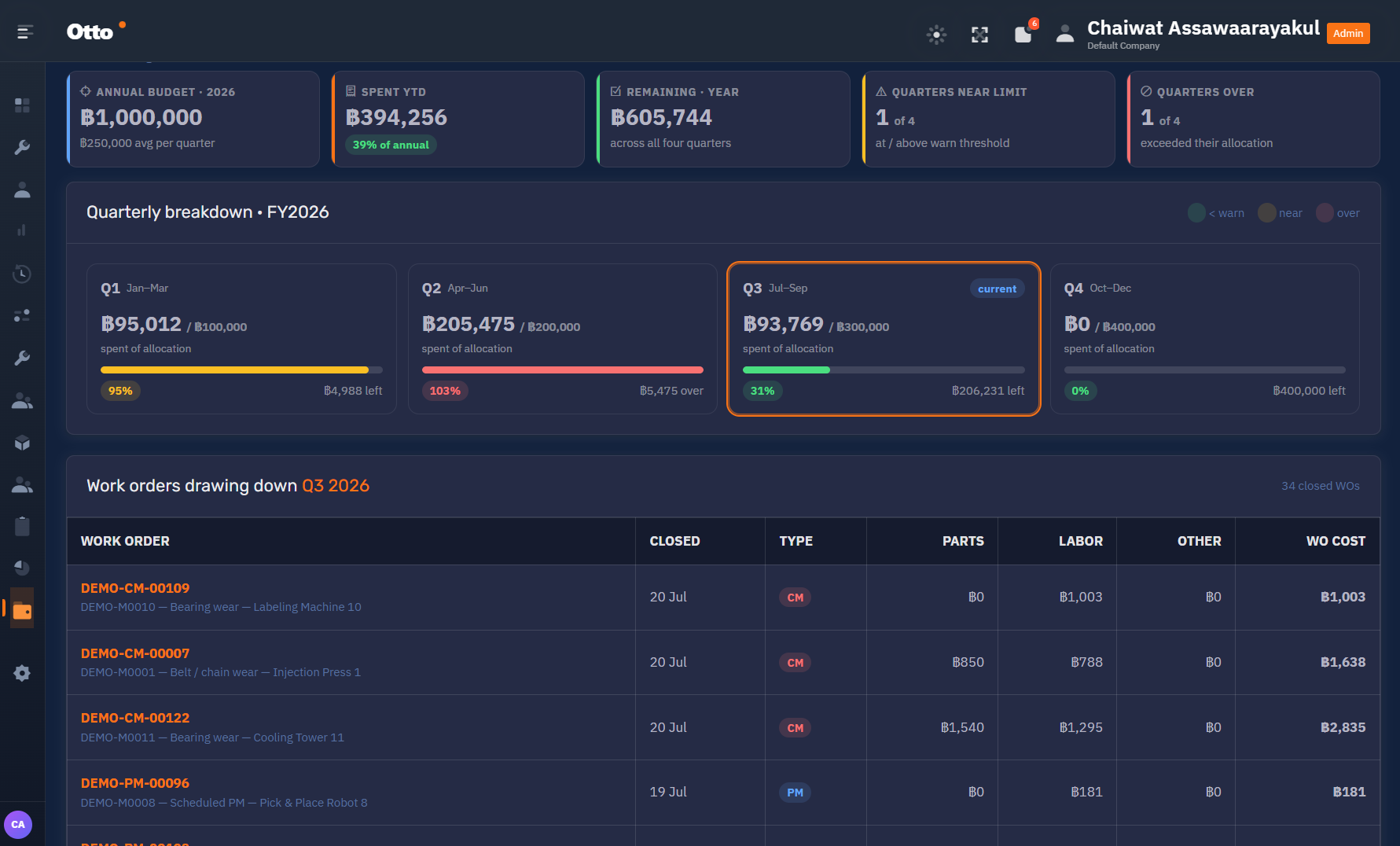
Annual and quarterly allocation versus actual spend, with early warning on quarters near their limit and the work orders drawing them down.
Technician schedule
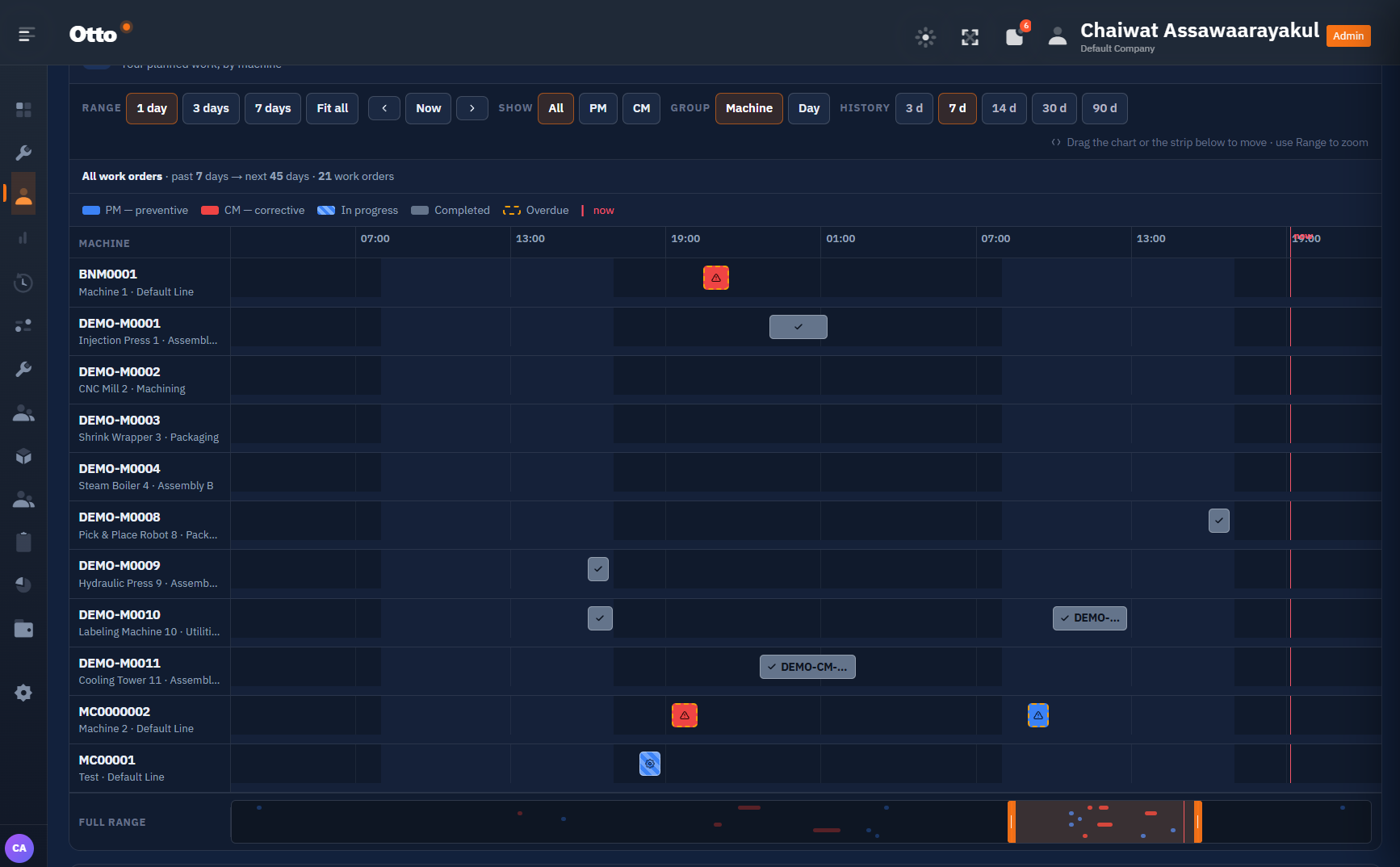
A timeline of planned work by machine — PM and CM side by side, showing in progress, completed and overdue against the current moment.
Work orders (PM & CM)
Preventive and corrective work orders with parts, labour and other cost captured per order so every baht rolls up to the budget.
Multi-factory & multi-line
Run several plants from one account. Every screen filters by factory and production line, with machines scoped to locations and departments.
Teams & roles
Technicians, planners and managers each get the view that fits their job, scoped to the company and sites they belong to.
The actual product, not a mockup
Every screen below is a live Otto screen.
Know what maintenance is costing you, quarter by quarter
Otto tracks the annual maintenance budget against real spend and warns you when a quarter is near its limit — or already over.
Every closed work order carries its parts, labour and other cost, so the number on the dashboard traces back to the jobs that caused it. Spare parts stock is watched against min and max at the same time, so a PM never stalls waiting on a bearing.
SEE IT ON YOUR DATA
Priced per site, quoted for your plant
Every plant has a different machine count, and a different starting point. Tell us yours and we will put a number to it.
Starter
One factory getting preventive maintenance under control.
- Single factory, unlimited lines
- Real-time PM Monitor
- PM planning & work orders
- Spare parts inventory
- Core KPI dashboard
Professional
Multiple plants that need to be compared on the same numbers.
- Everything in Starter
- Multi-factory & multi-line
- Factory / line benchmarking
- Maintenance budget control
- Technician scheduling
- Roles for planners & managers
Enterprise
Group-wide rollout with integration and consulting alongside.
- Everything in Professional
- Onboarding & data migration
- Integration with your systems
- Ambientech consulting engagement
- Priority support
Questions we get from plant managers
It depends on how much of your asset register already exists in a usable form. A single plant with a clean machine list and PM schedule moves quickly; a group rollout with historical work order data takes longer. We scope this with you before you commit — ask us for a timeline against your own data.
Yes. Otto is built around factories and production lines from the ground up. Every dashboard filters by factory, by line and by date range, and the benchmarking view ranks your sites against each other on the same five KPIs.
They work from the PM Monitor and their own schedule. A technician opens the machine card, starts the check, records what was done and what parts were used, and closes the work order. That single action is what feeds MTTR, cost and PM compliance upstream — nobody re-keys anything into a spreadsheet.
Both are derived from your corrective work order history per machine, over whatever date range you select, and are rolled up to line, factory and company level. The dashboard also shows the trend against the previous equivalent period so you can see direction, not just a number.
That is the normal starting point, and it is part of onboarding. Bring us what you have — a spreadsheet register, an export from an older CMMS, or a maintenance manual schedule — and we will walk through it with you during the demo.
Ambientech — a manufacturing consulting and industrial software company with more than 20 years of experience across international manufacturing. Otto exists because the same maintenance problems kept appearing on consulting engagements, and spreadsheets kept failing to fix them.
See Otto running on your plant’s data
Send us your details and we will arrange a walkthrough with an Ambientech engineer — not a script-reading sales rep. Bring your machine list and we will show you what the first month in Otto would look like.